
NKLAB
EK1 Mini2 Plus - Handheld Tuning Device
EK1 Mini2 Plus - Handheld Tuning Device
Cherry Tuning and Performance
22 George Street
Clyde NSW 2142
Australia
Choose options
Note: this listing is for the EKmini2+ only, this price does not include a tune file.
If you want a tune file for your EK1, grab one here!
Be sure to check the compatibility list tab in the buttons above!
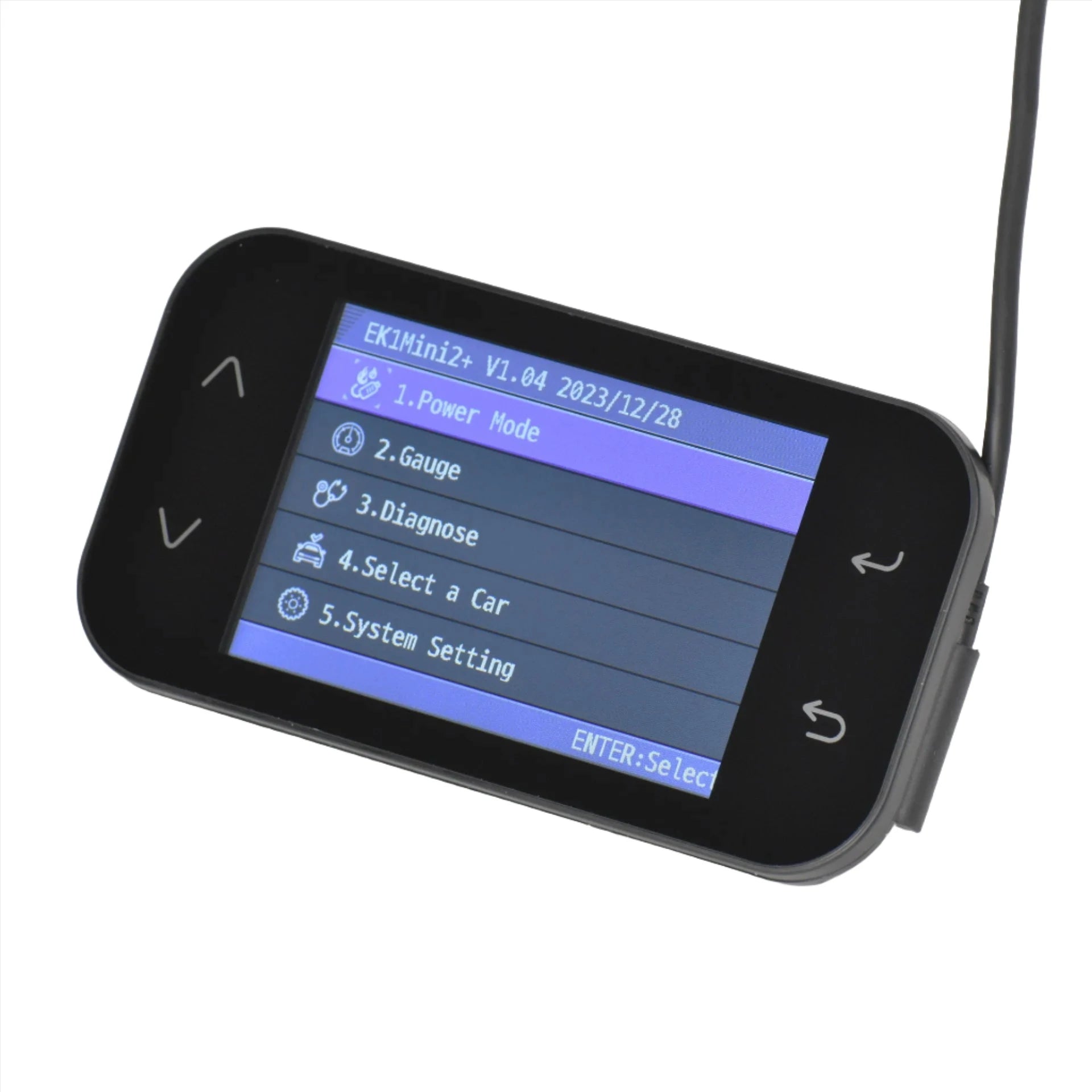
The EKmini2+ is a portable device that can be connected to the vehicle when necessary for live data, fault code reading and ECU read/writing. You will need to purchase a tuning file from us if you want us to tune your car.
SXTHNK have kept the most essential, preferred functions of the EK1 Pro and made a more affordable, feature rich device. EKmini2+ is the only handheld tuning device on the market with specific support for KIA and Hyundai models. It's the new standard for tuning!
THE TUNING PROCESS
- Connect the EKmini2+
- If you have a SIM2K ECU (i30N, KonaN, Stinger) unlock the ECU
- Read the ECU file
- Send the file to Cherry Tuning
- Purchase a Tune from Cherry Tuning (grab one here!)
- Fill out the tune request form that we will email to you
- We make a tune file specific for your car and modifications and send it back
- Load the tune file into your car
- Road test and datalog the car using the EKmini2+
- Send us the log file
- We will modify the file if it's required and send a new file
- Repeat steps 8-11 until the tune is optimal for your car
SCREEN AND BODY
The EKmini2+ features a full colour LCD panel and button style navigation. The interface is easy to navigate and allows users to quickly view data and write tuning files.
SIMPLE CONNECTIVITY
EKmini2+ is equipped with an SD Card for easy data transfers. Insert the SD Card into your device (PC/Tablet/Mobile) to transfer tuning files, updates, and data logs. No need to fumble around with clunky desktop-only software.
UPDATED ECU PROTOCOLS
SXTHNK have updated the ECU read and write protocols to enable remote unlocking (no more unlocked spare ECU required) of the ECUs featured in the i30N, Kona N, Sedan N, Stinger GT, G70, G80, and more. There is even added support for the Hyundai 7DCT TCU as well as the Hyundai 8AT TCU found in the Stinger/G70. Continued updates for new ECUs are also in progress.
No claims are made with regard to the legality of using any parts supplied by Cherry Tuning Pty. Ltd.
Parts are supplied for off-road use only and it is the responsibility of the customer to confirm with their local government regarding the legality of installing any parts for road use.
Remote tuning · EK1 · DIY guide
The complete EK1 tuning guide.
Everything you need to tune your Hyundai or Kia from home with an EK1 device — from setting up the tool to flashing your first file. The tune itself is ordered on the Cherry Tuned portal; this guide covers the hardware side end to end.
Before you begin
What you'll need.
Flashing your own ECU is straightforward, but it isn't zero-risk. A few basics make it smooth and safe.
If formatting a microSD card or installing PC software doesn't faze you, you'll be fine.
You're flashing the brains of your car. Not much nerve needed — but a little.
For connecting the EK1 to your computer to update firmware and software.
Strongly recommended. A battery dying mid-flash can brick an ECU — keep voltage stable.
The hardware
Pick your EK1.
All EK1 devices read, write and data-log. The difference is screens, live gauges, DCT support and which ECUs they can talk to.
EK1 Mini2+
The cost-effective workhorse. Flashes tunes and does high-speed data-logging — everything you need for the remote process. No live gauges and no DCT tuning.
EK1 Pro
Everything the Mini2+ does, plus a full-colour screen for standalone live gauges (a digital boost gauge, etc.) and pairing with the EK1 app (Android) — currently the only way to do DCT tunes.
EK1 V3
The latest device. Required for the newest Bluelink Smartstream ECUs (CPEGD3.20.1) that use the CAN-FD bus — the Mini2+ and Pro can't talk to those. If you've got a current Bluelink car, this is the one.
Step by step
How it works.
From an unopened EK1 to a freshly-flashed tune. Take your time on each step — especially the flash.
Set up the tool
Create an account at ek1tool.com, then download and install the EK1TOOL PC software (Windows). Connect the EK1 by USB-C and follow the prompts to update firmware. If the software opens in Korean, switch the language to English in settings.
Read your stock file (only if needed)
Most 2.0T and 3.3TT cars don't need a stock read. 1.6T Smartstream cars generally do, and we'll sometimes ask a 2.0T owner for one after a fuel-pump recall or an unusual software version. Reading also gives you a personal backup, though there's a database of original files on the EK1 site.
⚠ Use the right cable. On SIM2K-250/260 and CPEGD3 ECUs, read/write over OBD can brick the ECU — use the correct bench cable. When in doubt, confirm with us before connecting.Order your tune on the portal
Tunes are ordered on the Cherry Tuned portal using credits — buy a ready-to-flash pre-written (OTS) tune, or submit a fully custom request for your car and mods. Register your device serial + VIN in the portal first; each file is built bound to your device. Full walkthrough in the portal user guide.
Transfer the file to your EK1
Each tune downloads as a ready-to-flash .ekr file. Pop the microSD into your computer, copy the file into the Maps folder, and safely eject before removing the card. (No conversion needed for files from our portal.)
Flash it in — carefully
Pre-flash checklist: connect a battery tender; on pre-2020 2.0T, 3.3TT and 1.6T cars unplug the radiator fan; turn all accessories off (HVAC, radio, lights); then don't touch anything until it's done. Connect to the car, ignition fully on (engine not running), go to ECU Write, select your .ekr, and wait for "Success".
Reset & drive
On SIM2K-250/260, run Reset Adaptive Values after flashing (especially stock→tune or tuner→tuner). The first start may crank longer or idle slightly rough for a moment as the ECU adapts — that's normal. Then log a drive and request revisions in the portal until it's perfect.
If something goes wrong
Troubleshooting.
The most common hiccups and how to clear them. When in doubt, stop and message your tuner in the portal.
"Cannot find the file"
Usually a microSD issue. Note the folder structure, then reformat the card to FAT32 — or replace it with a good-quality card from a reputable brand. It can also mean the file was coded for the wrong setup (e.g. a CANBOOT format for a non-patched ECU); message your tuner to confirm the file formatting.
"Incorrect file size"
The file may be coded incorrectly, or you're trying to load something that isn't a .ekr. Double-check you've copied the right file and reach out to your tuner.
Flashed, but the car won't start
Don't panic. Load your backup if you took one. If not, download the original from the EK1 portal and convert it to .ekr. Some ECUs (e.g. SIM2K-250) can encode the .ekr as a RECOVERY file; on SIM2K models you can also try loading a patch file. Then notify your tuner.
Write fails before reaching 100%
Generally safe to retry if the EK1 lets you — it sometimes takes 2–3 goes. If it keeps failing, run a recovery and notify your tuner.
Write fails right at 100%
Usually means the file is corrupted (a checksum issue on save, or corruption during encoding). Attempt a recovery and notify your tuner so we can re-issue the file.
Ready to tune?
Get your EK1, order your tune on the portal, and we'll guide the rest. Not sure what your car needs? Just ask.